
Reference

sage77 Live Dealer Lobby Tables

sage77 Live Dealer Lobby places live baccarat, roulette, blackjack and Dragon Tiger tables in one screen, with the dealer and table limits shown before you enter.

Live baccaratRoulette tablesDragon TigerPhone-ready tables
sage77 sage77 Live Dealer Lobby Tables
sage77 How Our Live Tables Work

How Our Live Tables Work

Our Live Dealer Lobby streams dealer-led table sessions rather than simulated card screens, so you can follow each round from the displayed betting period through to the result. Baccarat centres on Player, Banker and Tie selections; roulette uses number, colour and group selections; blackjack asks you to make decisions from your own hand. Table cards show the game name and entry point

before you join. After phone verification and login, sage77 keeps these table choices separate from Aviator, bingo77 and superfishing.


TABLE PICKS

Baccarat Roulette And Blackjack Details

Each table format answers a different kind of live-table preference. We place the core options where you can identify the game rules before entering, rather than mixing every…

Updated today
sage77 Player Banker Tie
BACCARAT

Player Banker Tie

Live baccarat keeps the central choices clear: select Player, Banker or Tie during the betting period, then watch the dealer reveal the cards. The table display records the result before the next round opens, making the rhythm easy to follow.

sage77 Number And Group Bets
ROULETTE

Number And Group Bets

Roulette tables let you use individual number selections or broader colour, odd-even and dozen areas. The wheel result is shown in the stream and on the table interface, so your selected positions can be checked against the completed round.

sage77 Hand Decisions
BLACKJACK

Hand Decisions

Blackjack differs from baccarat because your hand can require a decision after the initial deal. Use the on-screen table controls only while the decision window is active, then wait for the dealer to complete every hand at the table.

ROUND CONTROLS

Live Dealer Lobby Gameplay Flow

Entry starts with a clear account path: open an account, verify your phone, log in, and select Live Dealer Lobby from the game menu.

Choose A Table Start from the lobby tile, then read the visible table…
Watch The Clock The betting clock controls when a round accepts selections.
Read Your Table Area Baccarat uses Player, Banker and Tie positions, while roulette presents…
Check Results On Screen After a round ends, use the table display to see…
TABLE FACTS

Live Table Access At A Glance

Live table games do not use one fixed RTP figure in the way a slot title can, because outcomes and available selections differ by game.

01

Game Type

Dealer-led baccarat, roulette, blackjack and Dragon Tiger sessions appear as separate live table formats. Each game has its own selection layout and round sequence, so the lobby should be used to choose the format before you enter.

02

Volatility

There is no single volatility label for the full Live Dealer Lobby. The size and frequency of outcomes depend on the table game and selection you make, including whether you use a broad roulette choice or an individual number.

03

Supported Devices

The lobby is designed for current phone browsers and larger screens. Phone users can enter a table through the game menu after login, while a larger display gives more room to view roulette layouts and blackjack hand controls.

04

Access Region

Indonesia availability for each live table depends on local law. We keep the account path and table menu visible only after login, so you can check the available Live Dealer Lobby choices from your own access location.

PHONE TABLES

Live Tables On Your Phone

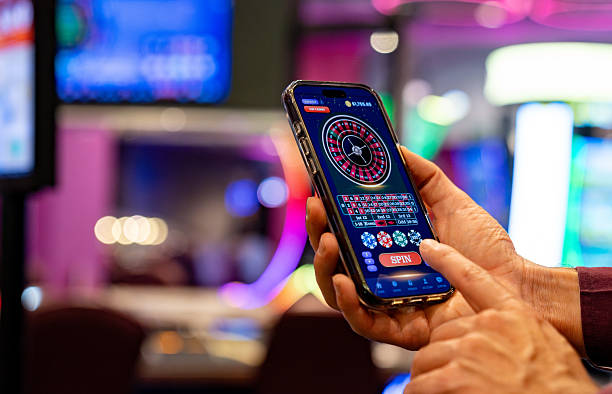
Phone access keeps the important live-table actions close together: log in, open the Live Dealer Lobby tile, select a table and use its betting panel before the round clock closes.

Log in first
Open the lobby tile
Check the round clock
Return between tables
sage77 mobile gaming
Google Play App Store
TABLE HELP

Help With A Live Table

A stalled login or unclear table state should not leave you guessing during a Live Dealer Lobby session.

Cannot Enter A Table First confirm that your phone verification is complete and that you are logged in to the same account used to open the lobby. If the table will not load, send us the table name and the point where entry stopped.
Round Result Question For a baccarat, roulette, blackjack or Dragon Tiger question, include the table name and approximate round time. Our support path can then locate the relevant session context instead of asking you to describe a result from memory alone.
Table Screen Stalled Refresh the live table page once and return through the Live Dealer Lobby menu. If the stream or controls still stall, report your device type, browser and game name so we can focus on the table display path.
FAIR TABLES

What We Show During Rounds

Transparency in a live-table session comes from showing the dealer, round stages and completed result in the same game view.

Dealer Visible

The live stream shows the dealer conducting the table round, while the interface presents the relevant betting area. You can watch the deal or wheel outcome occur before the next round starts, rather than relying only on a result message.

Round Clock Displayed

A visible betting period separates the time for selections from the time when the dealer completes the round. This timing matters because table controls should not be expected to accept a choice once the displayed clock has closed.

Game Rules Differ

We keep baccarat, roulette, blackjack and Dragon Tiger as distinct tables because their mechanics are not interchangeable. Read the on-screen table rules and selection labels before joining, especially when moving from a card table to roulette.

Results Stay In Context

The completed result is shown on the table screen after the dealer finishes the round. If you need help checking it, give our team the table name and approximate time, which provides a more useful reference than a general description.

Verified Account Entry

Phone verification is completed before account access, creating a clear route from login to the Live Dealer Lobby. If verification has not finished, resolve that account step before attempting to open a dealer table.

Local Access Wording

Live-table availability in Indonesia depends on local law. We use this wording because access can vary by location, and the table menu you see after login is the relevant place to check your available choices.

LOBBY CHOICES

Live Tables Beside Other Games

The Live Dealer Lobby is for dealer-run table formats, while our sibling game pages serve different mechanics and screen behaviour.

01

Live Dealer Lobby

Choose this area for dealer-led baccarat, roulette, blackjack and Dragon Tiger. You follow a live round sequence, review table-specific selections and act before the betting clock closes, with the dealer stream remaining central to the experience.

02

Aviator

Aviator uses a different game format from a physical-style dealer table. If you are looking for card dealing, roulette wheel outcomes or blackjack hand decisions, return to the Live Dealer Lobby rather than opening Aviator.

03

bingo77

bingo77 is separate from the live-table menu and does not use baccarat positions, roulette layouts or blackjack decision windows. Use its own page when that format is what you want, then return to the lobby for dealer-led sessions.

04

superfishing

superfishing has a game screen distinct from the dealer stream and table clock found in live baccarat or roulette. The separate category makes it easier to identify whether you are entering a table round or a fishing-room format.

05

bangsatoto

bangsatoto is listed outside the Live Dealer Lobby because its format is not a dealer-run card or wheel table. Use the main game menu to select it independently, rather than expecting its controls within the baccarat or roulette screen.

06

judibola888

judibola888 is not a live dealer table category. If football, badminton or basketball content is your intended destination, use its separate route; return to the Live Dealer Lobby for blackjack, Dragon Tiger and roulette table formats.

07

Return To Lobby

Use the game-menu return control when changing categories. This preserves a clear path back to the live table list, where you can select another dealer table without carrying assumptions from Aviator, bingo77 or superfishing into its rules.

SIX TABLE POINTS

Live Dealer Lobby Highlights

Six practical details make it easier to assess a live table before you enter it: the table name, game format, dealer stream, betting clock, selection panel and completed-result…

Baccarat Table Labels Baccarat entry begins with a recognisable table label and the…
Roulette Wheel Results Roulette combines a wheel result with a number-based selection layout.
Blackjack Decisions Blackjack uses a hand-by-hand decision stage after cards appear.
Dragon Tiger Layout Dragon Tiger keeps its card comparison format separate from baccarat…
Visible Round Timing The round clock provides a practical boundary between choosing a…
Lobby Return Route A return to the Live Dealer Lobby lets you leave…

Live Dealer Lobby Common Questions

These answers focus on entering and using the Live Dealer Lobby rather than unrelated account topics. The key things to check are your verified login, the table format, the round clock and the game-specific selection layout. If a question concerns a particular result or table screen, record the table name and approximate time before using our account-help path. Availability in Indonesia depends on local law.

The sage77 Live Dealer Lobby is the table area for live baccarat, roulette, blackjack and Dragon Tiger sessions. You choose a table after logging in, view its dealer stream and use the game-specific selection panel during the displayed betting period.

Open your account, complete phone verification and log in. From the main game menu, choose Live Dealer Lobby and select the table format you want. Read the table label and visible choices before entering, because each game uses different rules.

The lobby includes live baccarat, roulette, blackjack and Dragon Tiger table formats. Baccarat uses Player, Banker and Tie positions; roulette uses a number layout; blackjack includes hand decisions; Dragon Tiger uses its own card comparison layout.

Yes, access begins in your phone browser after login and phone verification. Open the Live Dealer Lobby tile, choose a table and use its screen controls before the round clock closes. A larger screen can provide more room for roulette layouts.

First check that phone verification and login are complete, then return to the lobby and try the table again. Availability depends on local law. If the table screen stalls, share the game name, device type and approximate time through our help path.

Each table shows a betting period before the dealer completes the round. Make selections while that clock is active. Once it closes, wait for the cards or wheel outcome and the completed result display before considering the next available round.

Send the Live Dealer Lobby table name, the game type and the approximate round time. A screen capture can also help when available. These details let us focus on the relevant baccarat, roulette, blackjack or Dragon Tiger session context.